File management is a critical component of the daily operations of a modern organization. Document management software provides a centralized digital environment to organize and retrieve important records across your company.
When relying on physical folders or disorganized local drives, serious problems arise when it is time to locate files, often resulting in hours of lost productivity. By adopting the right management system, you create a structured library that helps teams maintain version control and protect sensitive information.
To find the ideal platform for your company, it is important to understand the needs of your specific workflow and integration requirements. In this article, we present the 10 best document management software options currently available on the market.
We will explore the pros and cons of each solution and clarify their main capabilities. These insights will help you evaluate which tool best aligns with your team’s working philosophy and the structure of your business.

What is document management software?
A document management system is a centralized digital platform designed to capture, store, organize, and track electronic files. This technology replaces traditional physical archives with a searchable database that improves information retrieval.
Key features of this type of software include advanced version control, automated document routing, and structured metadata categorization. These tools restrict unauthorized access and maintain a clear, auditable trail of modifications made by users.
Modern platforms perform several essential operations such as secure file sharing, optical character recognition for document digitization, and granular permission settings. These capabilities ensure that teams always work with the most up to date version of each document.
Adopting a digital infrastructure brings significant operational improvements to your daily routines, such as:
- Greater data security through encrypted cloud storage
- Simplified collaboration for remote and hybrid teams
- Reduced paper waste and lower physical storage costs
- Protection of sensitive information
- Compliance with strict regulatory requirements
Digitizing paperwork minimizes the risk of losing critical information after localized hardware failures or disasters such as fires or floods. It also allows employees to spend less time searching for lost records, which directly improves your company’s operational efficiency.
Remote collaboration becomes significantly easier when multiple stakeholders can review contracts simultaneously within a unified workspace. Automated approval routing further reduces administrative bottlenecks and ensures business processes continue moving forward without unnecessary delays.
What defines the ideal document management software?
Selecting the right platform requires evaluating features that directly impact your day to day corporate operations. Truly effective systems share a specific set of core capabilities that help improve productivity across your organization.
These essential features transform chaotic digital environments into highly organized workspaces. Understanding these critical elements will help guide your team toward selecting the right software with complete confidence.
1. Automated workflow and approval routing
A strong document management solution should automate the lifecycle of your records from creation to final retention. Routing files through predefined review chains eliminates the need for manual transfers between departments.
The system should also allow you to electronically sign documents, accelerating the completion of agreements. Automated expiration alerts help teams manage contract renewals without relying on manual calendar tracking.
2. Advanced data capture and digitization
To truly move away from paper based processes, organizations need access to optical character recognition technology for processing physical documents. This capability automatically converts scanned images into searchable digital content.
The platform you choose must also capture data from multiple sources such as local network directories and email inboxes. Centralizing these inputs creates a reliable repository for all unstructured information across the organization.
3. Artificial intelligence and intelligent search
Finding a specific clause within a document inside a large corporate library requires highly efficient search mechanisms. Artificial intelligence allows users to ask direct questions and receive immediate answers from the stored text.
This functionality saves employees hours that would otherwise be spent reading through long documents to locate the information they need. Faster retrieval of relevant data directly increases operational productivity across teams.
4. System integration
A modern document repository must connect seamlessly with your existing ecosystem of corporate software. Ideally, application programming interfaces ensure that data remains synchronized across different departments.
The ideal solution works alongside customer relationship management platforms and enterprise resource planning systems. Connecting these environments ensures employees can access the files they need without constantly switching between applications.
5. Robust security and regulatory compliance
Protecting sensitive corporate data requires granular access controls that restrict document visibility based on user roles. The software must track every modification and provide a complete audit trail.
To comply with global privacy standards, organizations must implement strict version control and secure data retention policies. These protective measures help keep the organization aligned with leading data protection frameworks.

The 10 best document management software solutions
So far, we have explored the essential features that make a document management tool effective in daily operations. The next step is evaluating the available platforms to find the solution that best fits your specific corporate requirements.
Below, we review the ten leading software options in detail to highlight their strengths and weaknesses. This analysis will help your team confidently select the ideal tool to organize and manage your files.
| Software | Best suited for | Reviews (Capterra) | Reviews (G2) |
| 1. SoftExpert Suite | Medium and large enterprises with high scalability requirements and regulated industries such as healthcare and manufacturing | 4,6/5 | 4,6/5 |
| 2. Box | Large organizations and teams that require collaboration at scale | 4,4/5 | 4,2/5 |
| 3. Laserfiche | Public sector and corporate environments focused on complex process automation | 4,5/5 | 4,7/5 |
| 4. DocuWare | Teams focused on automating administrative tasks such as accounts payable | 4,6/5 | 4,4/5 |
| 5. OpenText | Global organizations with high document volumes and strict compliance requirements | 4,0/5 | 3,7/5 |
| 6. M-Files | Growing companies seeking intelligent metadata based organization | 4,4/5 | 4,4/5 |
| 7. Notion | Agile teams that need flexible and customizable workspaces | 4,7/5 | 4,6/5 |
| 8. Google Workspace | Teams of all sizes that prioritize real time collaborative editing | 4,7/5 | 4,6/5 |
| 9. Microsoft SharePoint | Corporate environments already established within the Microsoft 365 ecosystem | 4,4/5 | 4,0/5 |
| 10. Zoho WorkDrive | Small and medium sized businesses looking for user friendly cloud storage | 4,6/5 | 4,4/5 |
1. SoftExpert Suite
Software information:
Reviews (Capterra): 4,6/5
Reviews (G2): 4,6/5
Features:
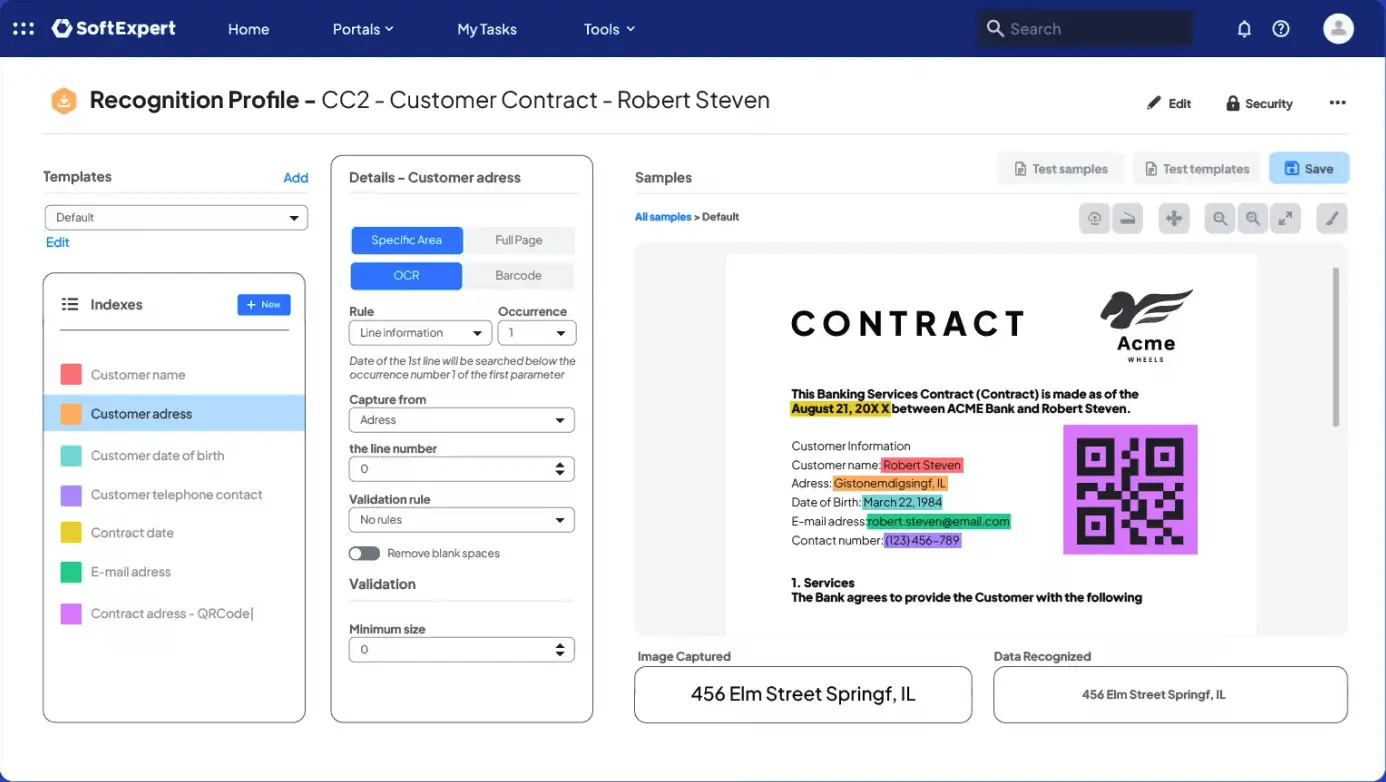
- Advanced data capture with optical character recognition technology
- Workflow automation for document approval and review
- Intelligent search powered by artificial intelligence to quickly locate information
Pros:
- Intuitive and customizable interface for process modeling
- Robust solution for large organizations
- High integration capacity and scalability
- Highly responsive and collaborative customer support
- Comprehensive capabilities covering the entire content lifecycle
- Strong cost benefit for medium and large enterprises
Cons:
- Steep initial learning curve for advanced configurations
- High cost for small businesses
SoftExpert Suite provides a centralized platform to manage the corporate content lifecycle in a structured way. The tool allows the digitization of physical records using advanced optical character recognition technology.
The solution enables teams to automate review workflows and collect electronic signatures to accelerate daily processes. This approach helps maintain strict control over access to your company’s sensitive information.
The platform includes artificial intelligence capabilities designed to optimize searches within large documents. Users can ask questions directly to the system and receive immediate answers without the need for time consuming manual searches.
Native integration with multiple management applications facilitates data connectivity across the entire organization. Managers can structure repositories in ways that simplify compliance with several regulatory data protection standards.
A structured digital environment helps prevent rework and the loss of valuable document information. By implementing a system such as SoftExpert Suite, your organization can achieve operational cost savings of up to 40%.
SoftExpert ECM: store, preserve, and share documents securely
2. Box
Software information:
Reviews (Capterra): 4,4/5
Reviews (G2): 4,2/5
Features:
- Structured collaborative editing with interactive tools for teams
- Native integration with more than one thousand corporate applications
- Data security with granular access controls
Pros:
- Scalable collaboration capabilities for large projects
- Robust security aligned with global compliance regulations
- Catalog with multiple native connectivity options
- Usability focused on agile and efficient file sharing
Cons:
- Native version control offers fewer capabilities compared with some alternatives
- Advanced governance configuration requires detailed setup
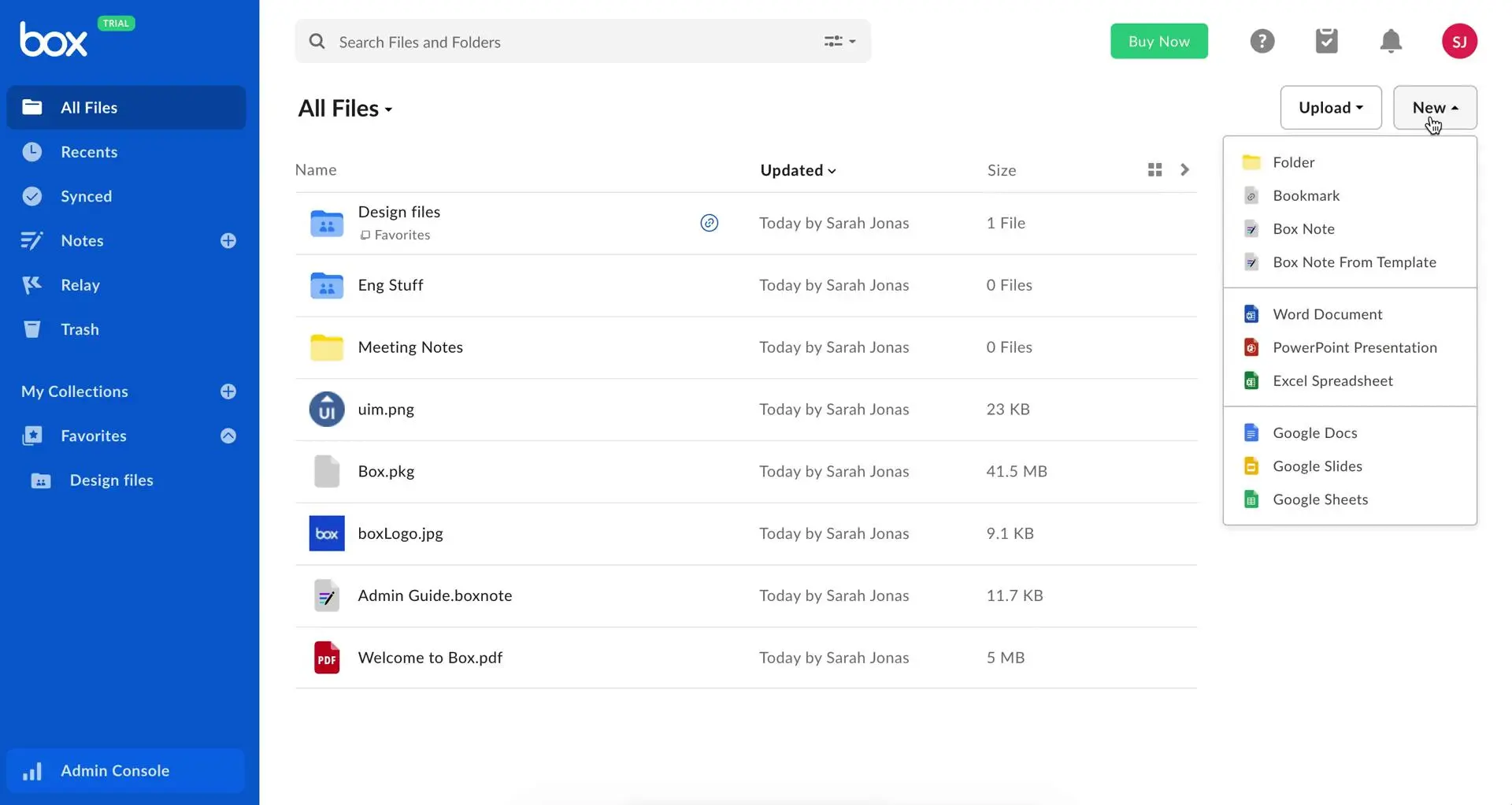
Box stands out as a platform designed to facilitate collaboration and content management at enterprise scale. The tool centralizes scattered files within a highly structured and easy to navigate digital environment.
Security is a core pillar of this solution, offering advanced encryption and granular controls to protect confidential information. This allows organizations to maintain compliance with international data protection regulations.
Interactive tools include collaborative editing and commenting features within shared files. Artificial intelligence capabilities within the system enable automated document classification and extraction of important metadata.
3. Laserfiche
Software information:
Reviews (Capterra): 4,5/5
Reviews (G2): 4,7/5
Features:
- Automated workflows for business processes with document routing
- Intelligent data capture with optical character recognition
- Comprehensive records management for regulatory compliance
Pros:
- Customizable interface for building complex automation processes
- Security features aligned with government and public sector standards
- Digital archiving capabilities and audit trails
Cons:
- Steep learning curve for administrative functions
- System performance may slow when processing very large repositories
- Initial implementation requires dedicated technical planning
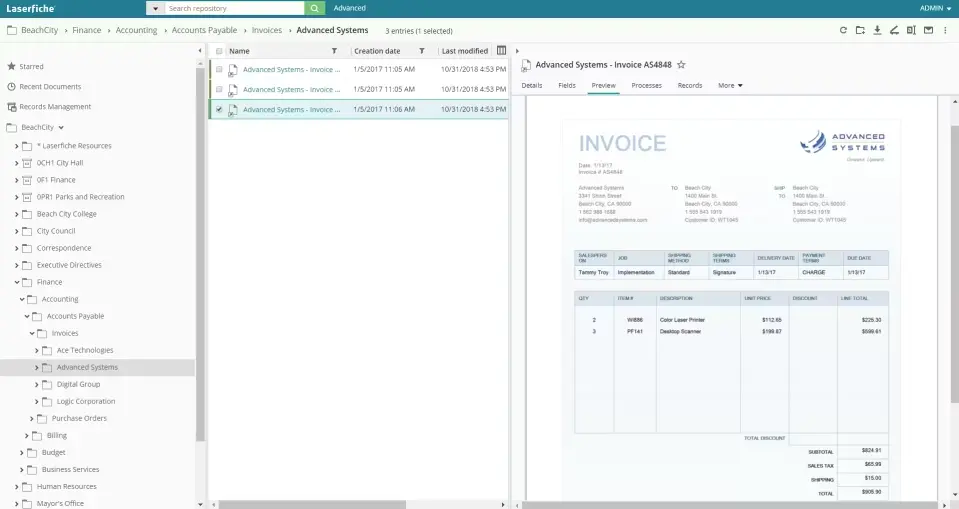
Laserfiche operates a comprehensive enterprise platform focused on business process automation and digital records management. The software helps organizations digitize their archives using optical character recognition technology.
Teams can create structured automated workflows to handle repetitive administrative tasks such as invoice approvals or contact routing.
From a security perspective, Laserfiche offers granular access controls for sensitive documents. System administrators can apply retention policies to ensure compliance with current legislation.
4. DocuWare
Software information:
Reviews (Capterra): 4,6/5
Reviews (G2): 4,4/5
Features:
- Intelligent document capture with artificial intelligence based indexing
- Automated workflows for approval processes
- Robust security controls with audit trails
Pros:
- Advanced intelligent indexing capabilities
- Supports both large and small teams
- Centralized storage system
Cons:
- Steep learning curve during the initial administrative configuration
- User interface may appear outdated compared with newer tools
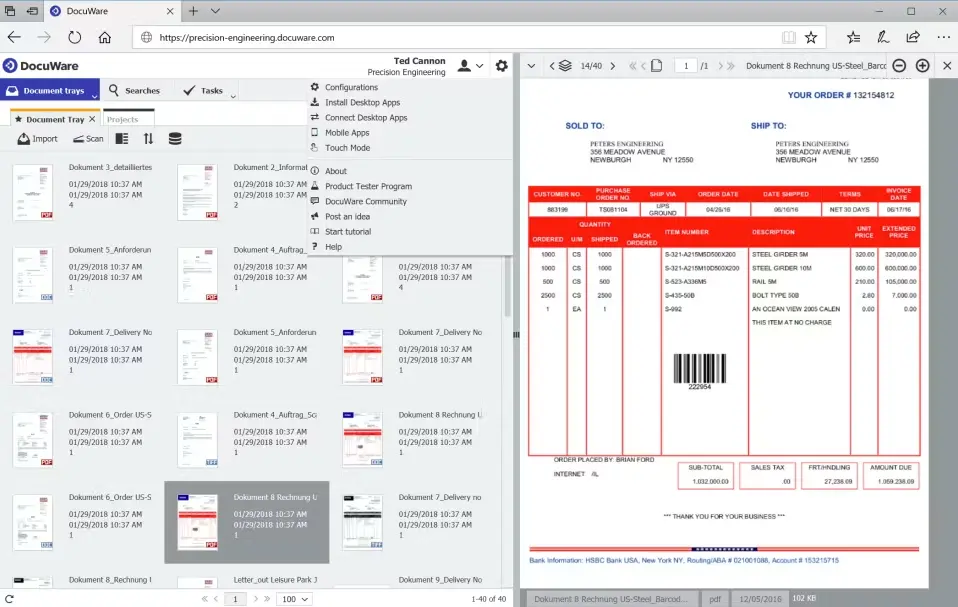
DocuWare uses artificial intelligence powered indexing to provide a secure digital environment for capturing and organizing corporate records. The software applies artificial intelligence to index incoming files and automatically extract critical information.
The platform specializes in optimizing heavy administrative tasks such as accounts payable operations and invoice processing. Permission configurations ensure that confidential data can only be accessed by authorized personnel.
However, it is important to note that implementing its automated capabilities requires dedicated training to master the complex customization of administrative configurations.
5. OpenText
Software information:
Reviews (Capterra): 4,0/5
Reviews (G2): 3,7/5
Features:
- Enterprise information management for complex content lifecycles
- Records management tools for regulatory compliance
- High volume document archiving with secure processing
Pros:
- Highly scalable infrastructure
- Advanced security protocols
- Robust compliance tracking
Cons:
- Complex implementation requiring dedicated technical resources
- User interface is less intuitive for modern collaboration needs
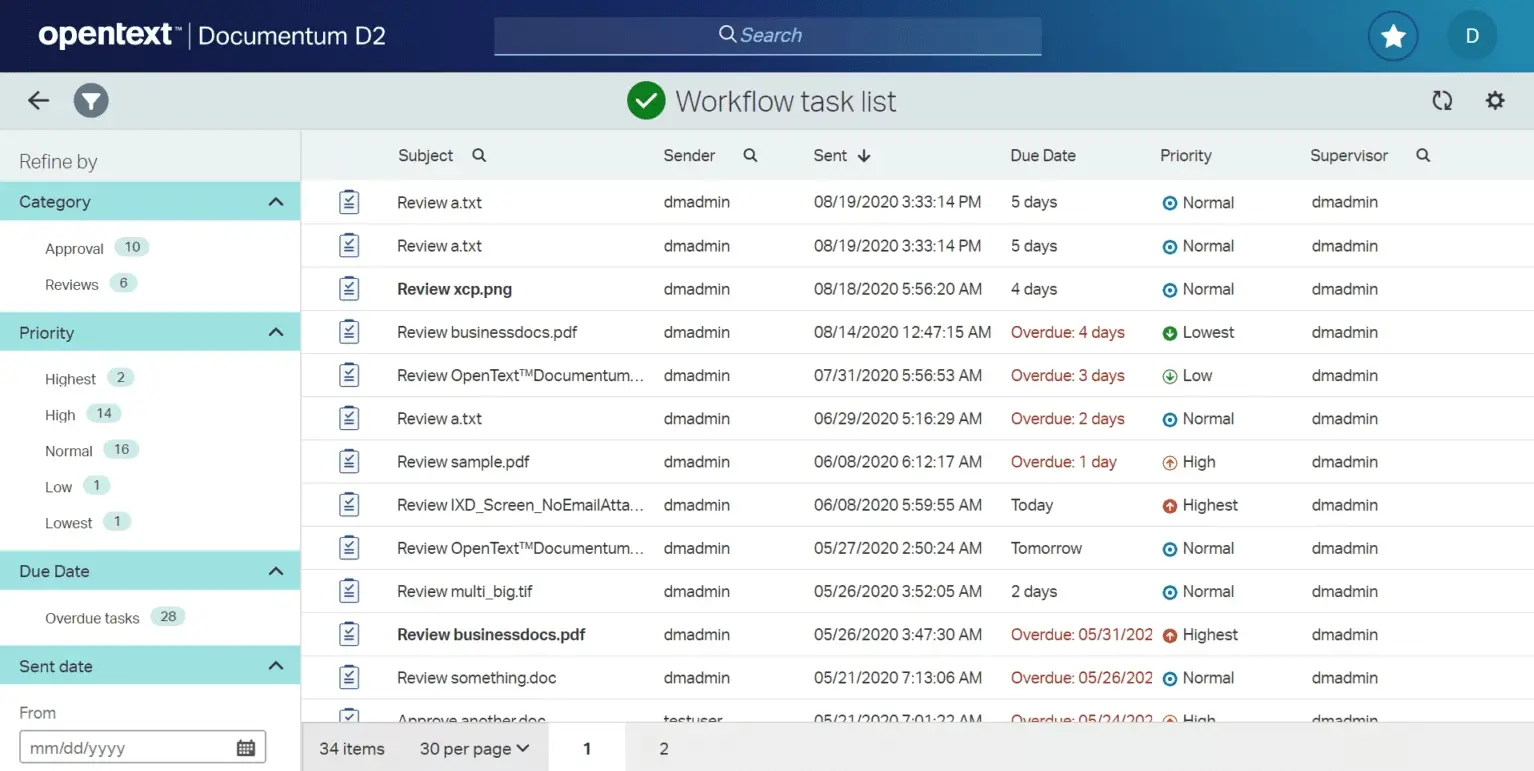
OpenText Documentum serves as a highly scalable enterprise information management platform designed for large global organizations. The system manages the full lifecycle of complex corporate content, from creation to final archiving.
The application offers records management tools that support adherence to international regulatory frameworks. These compliance capabilities help organizations protect sensitive data across large digital repositories.
Administrators can configure detailed workflows to automate the routing of highly confidential files across different departments. This reduces administrative workload while maintaining secure audit trails for every digital interaction.
6. M-Files
Software information:
Reviews (Capterra): 4,4/5
Reviews (G2): 4,4/5
Features:
- Metadata driven architecture for intelligent file categorization
- Integration with Microsoft 365 and other enterprise ecosystems
- Automated workflows with advanced version control
Pros:
- Metadata based search reduces wasted time
- Strong security capabilities and complete audit trails
- Flexible system that scales with company growth
Cons:
- Inconsistent user interface across web, mobile, and desktop clients
- Steep learning curve requiring dedicated training for configuration and advanced features
- Slow performance and long loading times when synchronizing large files or using the web interface
- Outdated functionality in the administration console and search mechanisms that reduce overall system efficiency
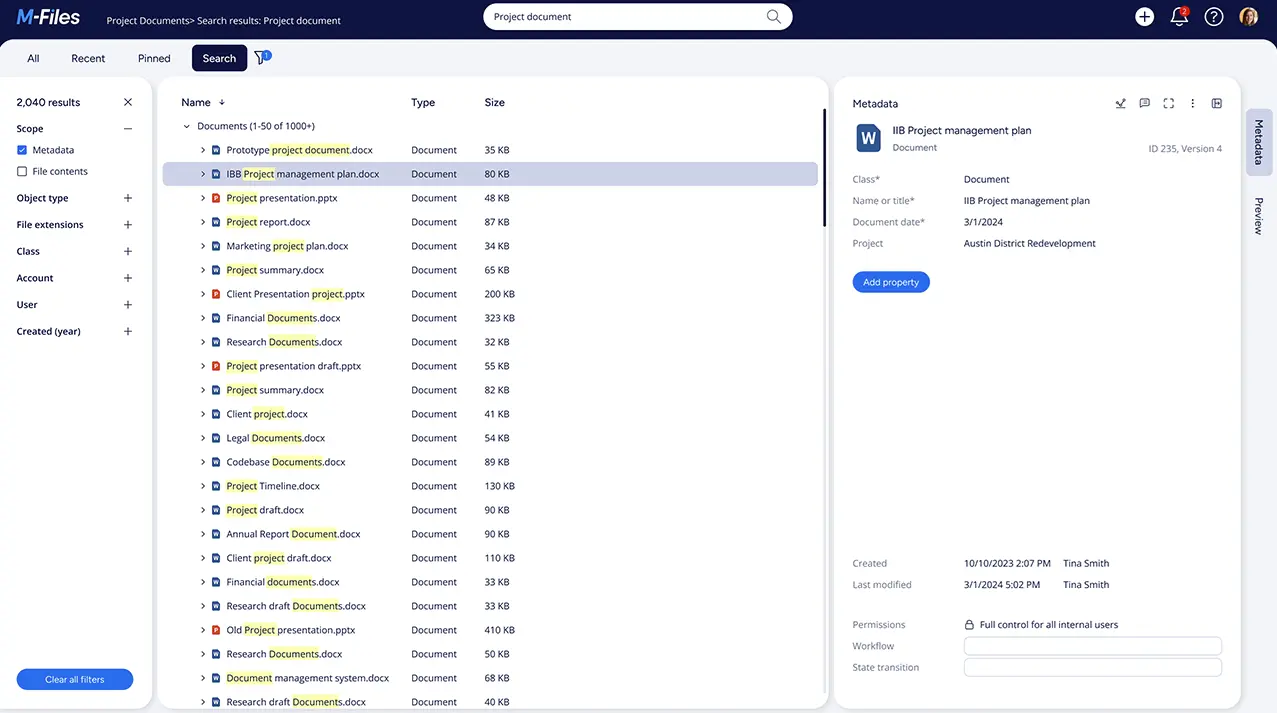
M-Files adopts a different approach to organizing corporate information by relying on metadata rather than traditional folder structures. The system categorizes files based on what they contain rather than where they are stored in the directory.
Managers can establish automated routing rules to guide important contracts through the required approval stages without manual effort. Detailed audit trails track every user action to help organizations meet strict regulatory requirements and internal quality standards.
However, implementing this sophisticated architecture requires dedicated technical support and comprehensive team training during the initial onboarding phase.
7. Notion
Software information:
Reviews (Capterra): 4,7/5
Reviews (G2): 4,6/5
Features:
- All in one customizable workspace for notes and databases
- Collaborative editing and real time sharing
- Integrated artificial intelligence tools to improve productivity
Pros:
- Highly adaptable workspace customized for unique team workflows
- Integration of task management and document storage
- Real time collaboration capabilities for remote teams
- Artificial intelligence tools for content organization
Cons:
- Steep learning curve for beginners seeking structured guidance
- Performance slowdowns when working with large databases
- Limited offline functionality requiring a stable internet connection
- Mobile application lacks some capabilities available in the desktop version
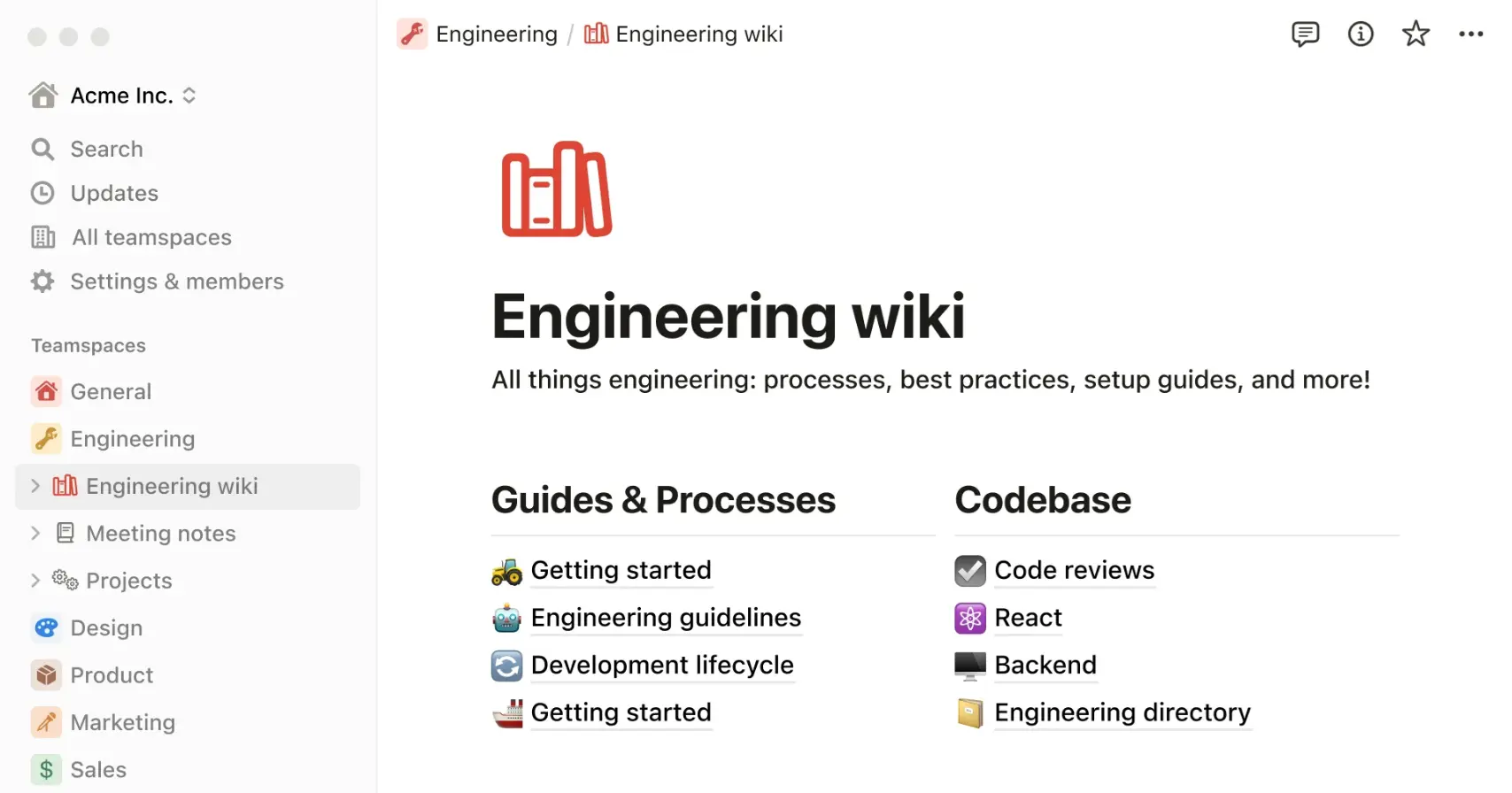
Notion functions as a highly flexible workspace that combines document creation and project tracking in a single platform. Teams can customize their digital environment to match their organizational workflows and daily routines.
Despite its versatile design, the platform may experience noticeable performance slowdowns when loading very large databases. In addition, limited offline functionality makes it difficult to retrieve critical information without a stable internet connection.
8. Google Workspace
Software information:
Reviews (Capterra): 4,7/5
Reviews (G2): 4,6/5
Features:
- Integrated suite for real time team collaboration
- Unified workspace combining daily productivity applications
- Data synchronization across multiple devices
Pros:
- Intuitive user experience requiring minimal initial training
- Real time collaborative editing without version conflicts
Cons:
- Heavy dependence on a stable internet connection for full functionality
- Lack of advanced formatting capabilities available in traditional desktop office software
- Occasional synchronization delays when handling very large files or databases
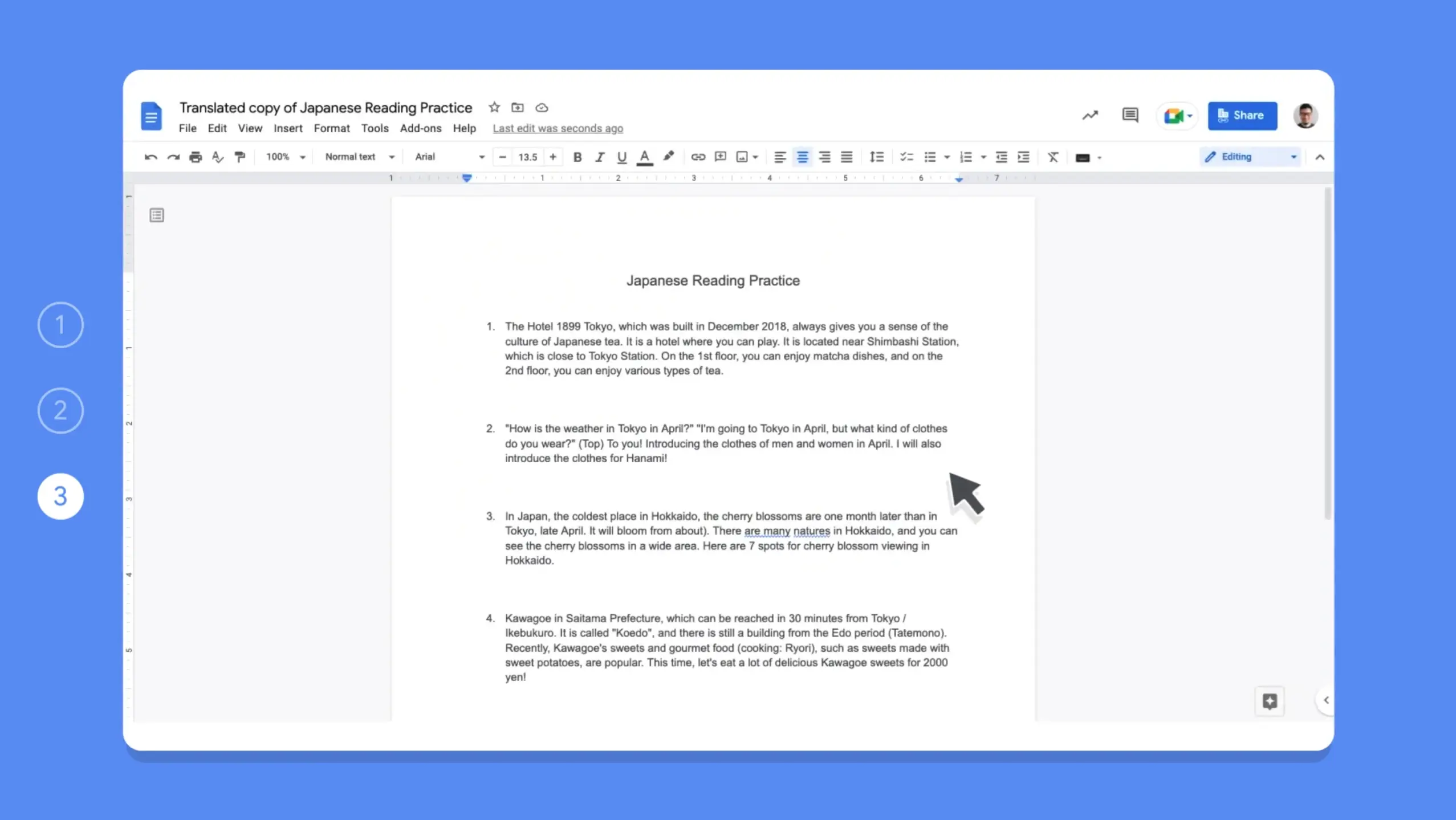
Google Workspace stands out by enabling teamwork through real time document editing capabilities. Multiple employees can contribute simultaneously to the same spreadsheet or presentation without creating version conflicts.
Despite its widespread adoption, the system relies heavily on a stable internet connection to function properly. Users often encounter frustrating synchronization delays and limited offline capabilities when working with unstable network access.
9. Microsoft SharePoint
Software information:
Reviews (Capterra): 4,4/5
Reviews (G2): 4/5
Features:
- Centralized document sharing hub for businesses
- Integration with Microsoft 365 tools
- Team collaboration and real time file editing
Pros:
- Organized data management enabling efficient file access
- Enterprise level platform for real time teamwork
- Simplifies daily operations within established corporate environments
Cons:
- Complex configuration process requiring advanced technical skills
- Performance issues and slowdowns when managing larger files
- Inconsistent file synchronization that may cause version conflicts
- Inefficient search mechanisms that frustrate non technical users
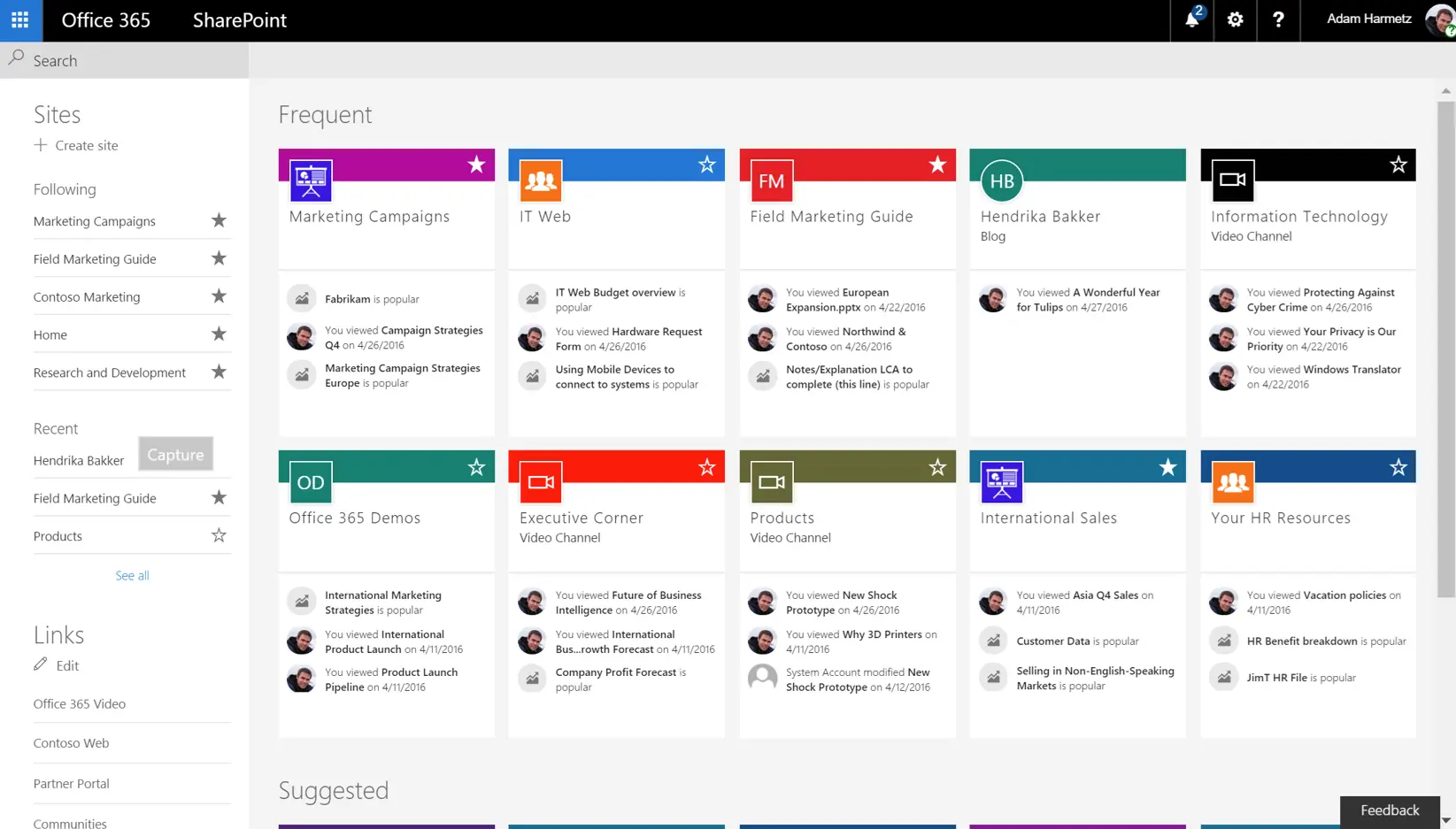
Microsoft SharePoint functions as a robust centralized hub designed for enterprise document sharing and storage. The platform integrates with the entire Microsoft 365 ecosystem to streamline corporate operations.
Despite these advantages, non technical employees often face a steep learning curve due to the complex configuration process. Users frequently report frustrating synchronization errors and slow performance when working with large volumes of documents.
10. Zoho WorkDrive

Software information:
Reviews (Capterra): 4,6/5
Reviews (G2): 4,4/5
Features:
- Collaborative document creation and real time file sharing
- User friendly interface for simplified digital asset management
- Secure access controls for internal and external teamwork
Pros:
- Integration with the broader Zoho application ecosystem
- Secure access configurations to protect confidential corporate materials
Cons:
- Noticeably slow loading times when handling numerous digital assets
- Lack of advanced capabilities found in competing cloud storage solutions
- Limited customization options for adapting the digital workspace
Zoho WorkDrive functions as an accessible cloud storage platform designed to promote teamwork within modern corporate environments. The system offers a user friendly interface that helps employees manage their daily digital assets without technical complications.
Despite these collaborative benefits, users often experience slow navigation speeds when working with larger digital folders. In addition, the platform offers limited visual customization options and lacks advanced features found in alternative storage solutions.

Read more articles like this:
- 5 Document Management System Strategies That Will Pay Off
- Electronic Document Management (EDM) in 2026: integrated, intelligent, and predictive
- Document management: what it is, its benefits and tools to put into practice
Conclusion
Choosing the right document management software is a strategic decision that directly impacts your daily operational efficiency and data security. Evaluate the specific requirements of your workflows and select a platform that truly transforms how your team operates.
Transitioning to a structured digital library eliminates the frustration of lost files and simplifies collaboration between remote departments. Investing in modern technologies ensures that your confidential records remain protected against unauthorized access and unexpected data loss.
If you are looking for an integrated system to centralize unstructured content and automate document review workflows, SoftExpert Suite stands out as an ideal solution. The platform ensures strict regulatory compliance while significantly reducing the time and costs associated with physical documentation.
Take time to test the options that best align with your business objectives and technical infrastructure. A well implemented document repository empowers employees to work more efficiently and focus on higher value tasks.
FAQ – Frequently asked questions about document management software
Find answers to the most common questions about document management software:
It is a digital platform designed to securely capture, store, and organize electronic files. This technology helps teams track changes and instantly retrieve important corporate records.
Start by evaluating the specific needs of your workflow and your daily operational bottlenecks. Select a platform that provides robust security, automated routing, and seamless integrations with existing systems.
Modern cloud solutions provide advanced encryption and strict access controls to protect files. These security measures help organizations maintain regulatory compliance.
An effective repository automatically routes files through predefined review and approval chains. This automated workflow eliminates manual transfers and prevents unnecessary processing delays.
Many modern tools offer intuitive interfaces that require minimal training for daily use. However, configuring complex enterprise workflows may require dedicated IT support during the initial setup.
Artificial intelligence categorizes incoming files and extracts critical data points instantly. It also enables intelligent search capabilities that help employees locate specific clauses within seconds.
Looking for more efficiency and compliance in your operations? Our experts can help identify the best strategies for your company with SoftExpert solutions. Contact us today!